Get in touch

FREGATE · ATTACK SURFACE MONITORING

See what an attacker sees,before they do.

Fregate maps every domain, hostname and address you expose, checks them continuously through Gateway, and turns what changes into decisions your team can act on.

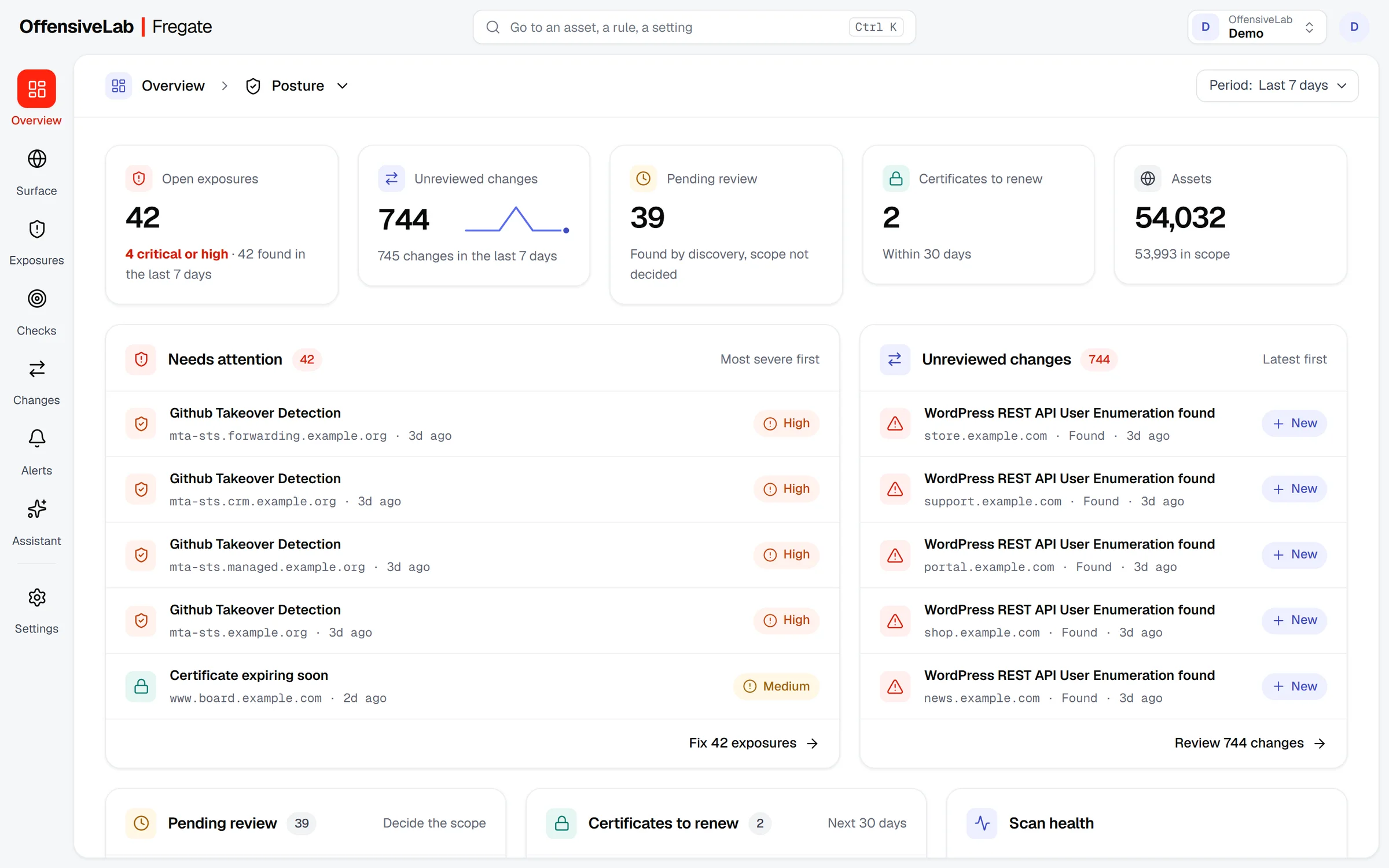
Fregate Overview: 42 open exposures, 744 unreviewed changes, 39 assets pending review, 2 certificates to renew and 54,032 assets, with the exposures that need attention and the latest changes.Open the full-size screen
The Overview of a workspace watching 54,032 assets: what needs attention first, and what changed.

Real screens from a demo workspace. Hostnames and addresses are replaced with documentation values, and third-party tool names are left out.

  • 7layers per asset: DNS, network, services, TLS, web, web map and checks
  • 13,897vulnerability checks from one pinned release, each classified by profile
  • 3scan modes: passive, active and intrusive, the last on attested assets only

THE TOUR

From the map to the decision.

SURFACE

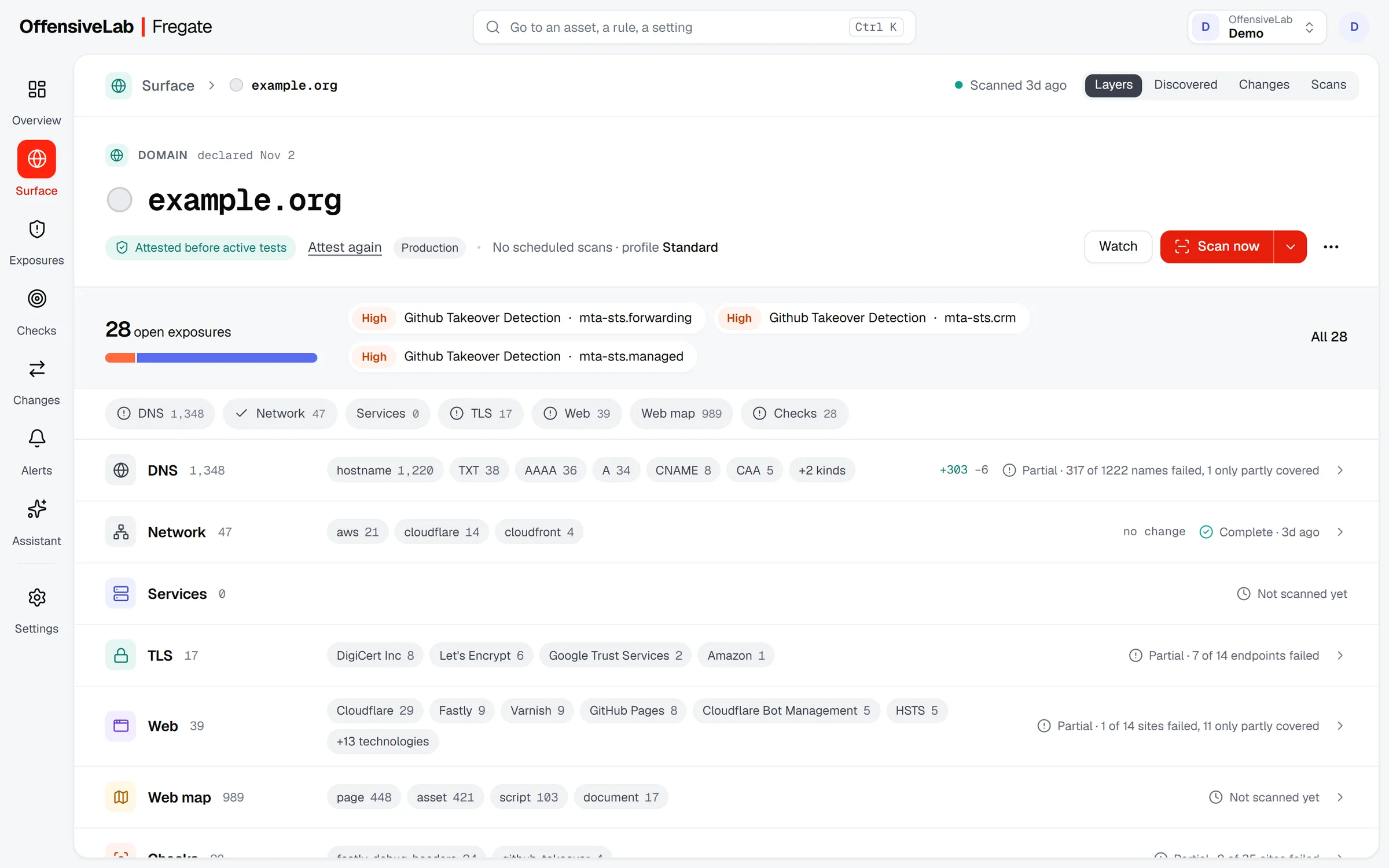
Every asset, layer by layer.

Fregate starts from your domains and finds the hostnames, addresses and services behind them. Each asset opens on its layers, with what changed since the last scan and how complete that scan was.

  • Discovery from passive sources, DNS and certificates
  • Coverage per layer: a partial scan says so
  • Newly found assets wait for a scope decision
EXPOSURES

Findings you can rank and close.

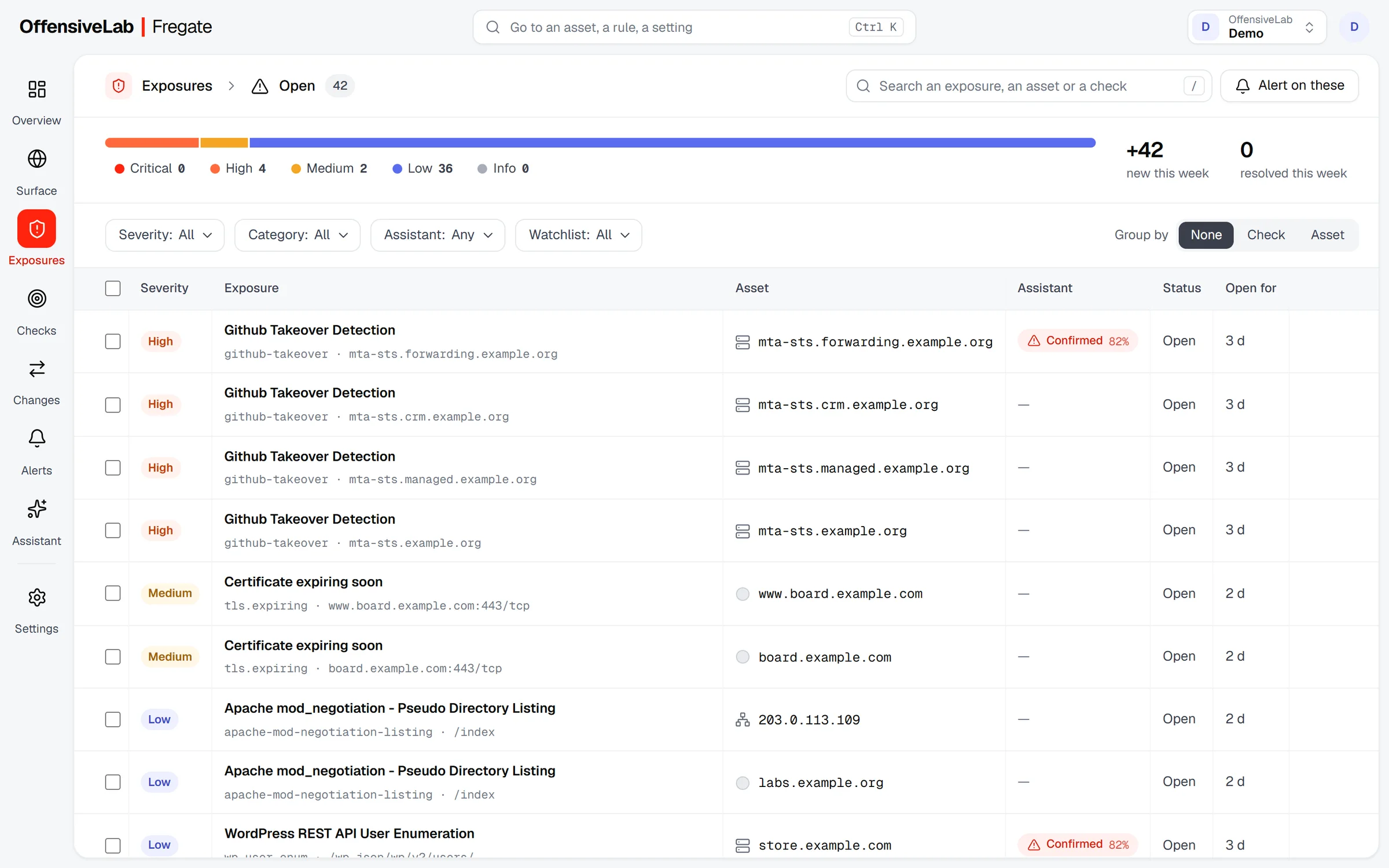
Every exposure comes from a named check, carries its evidence and stays open until a scan shows it gone. Sort by severity, group by check or asset, and alert on any filter.

  • Severity, category and watchlist filters
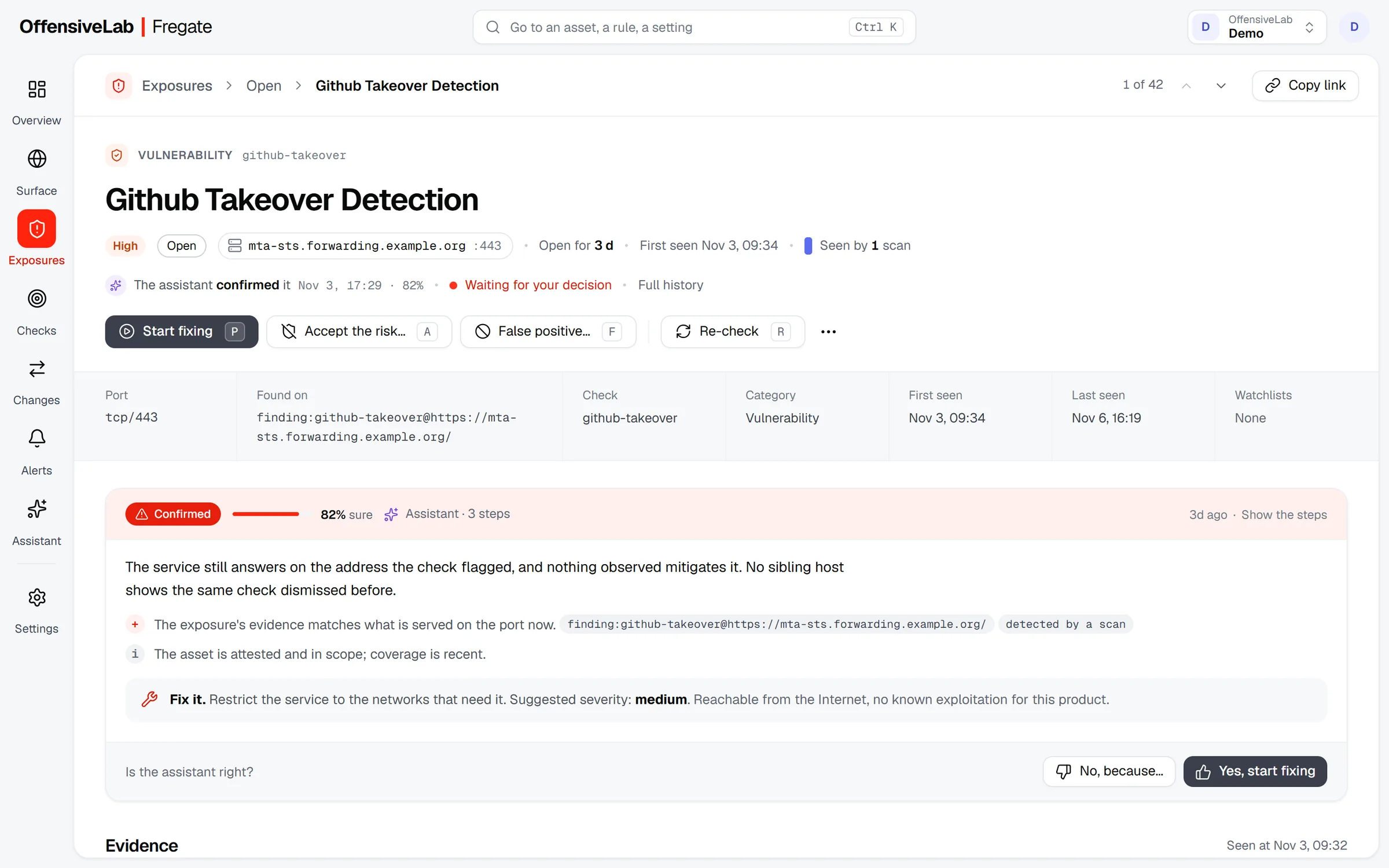
  • The request and response kept as proof, credentials masked
  • Accept the risk or mark a false positive, with a reason

ASSISTANT

A second opinion on every finding.

The assistant re-reads an exposure with what Fregate knows about the asset, says whether it holds and how sure it is, and suggests a fix and a severity. You agree or disagree in one key.

  • A verdict with its confidence and its reasons
  • A suggested severity and fix
  • Runs on the workspace’s own Anthropic API key

CHANGES

What moved since the last scan.

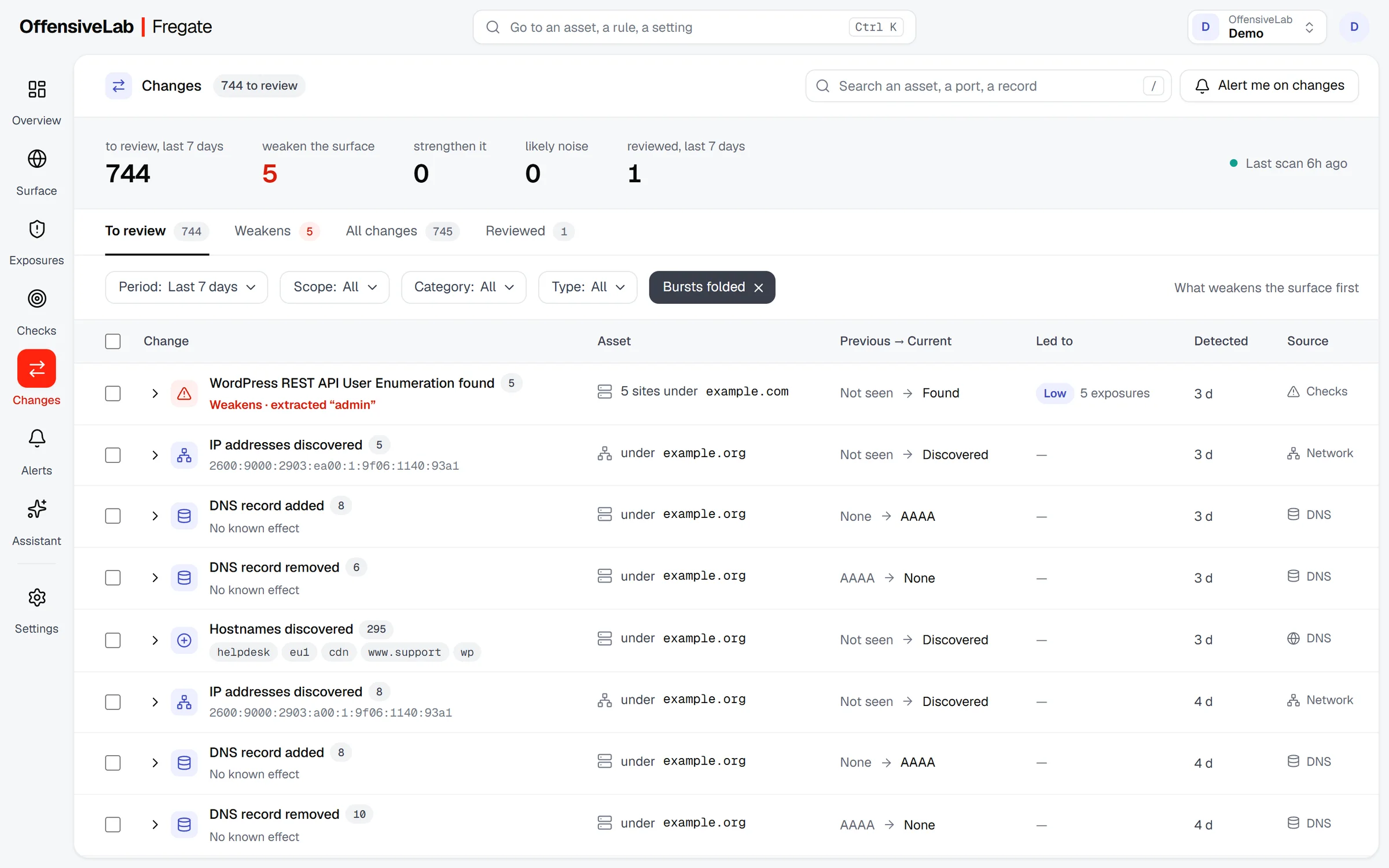
Fregate compares each scan with the one before and sorts the differences by effect. What weakens the surface comes first; bursts of similar changes fold into one row.

  • Weakens, strengthens or likely noise
  • The previous and current value side by side
  • What each change led to

CHECKS

Know exactly what runs.

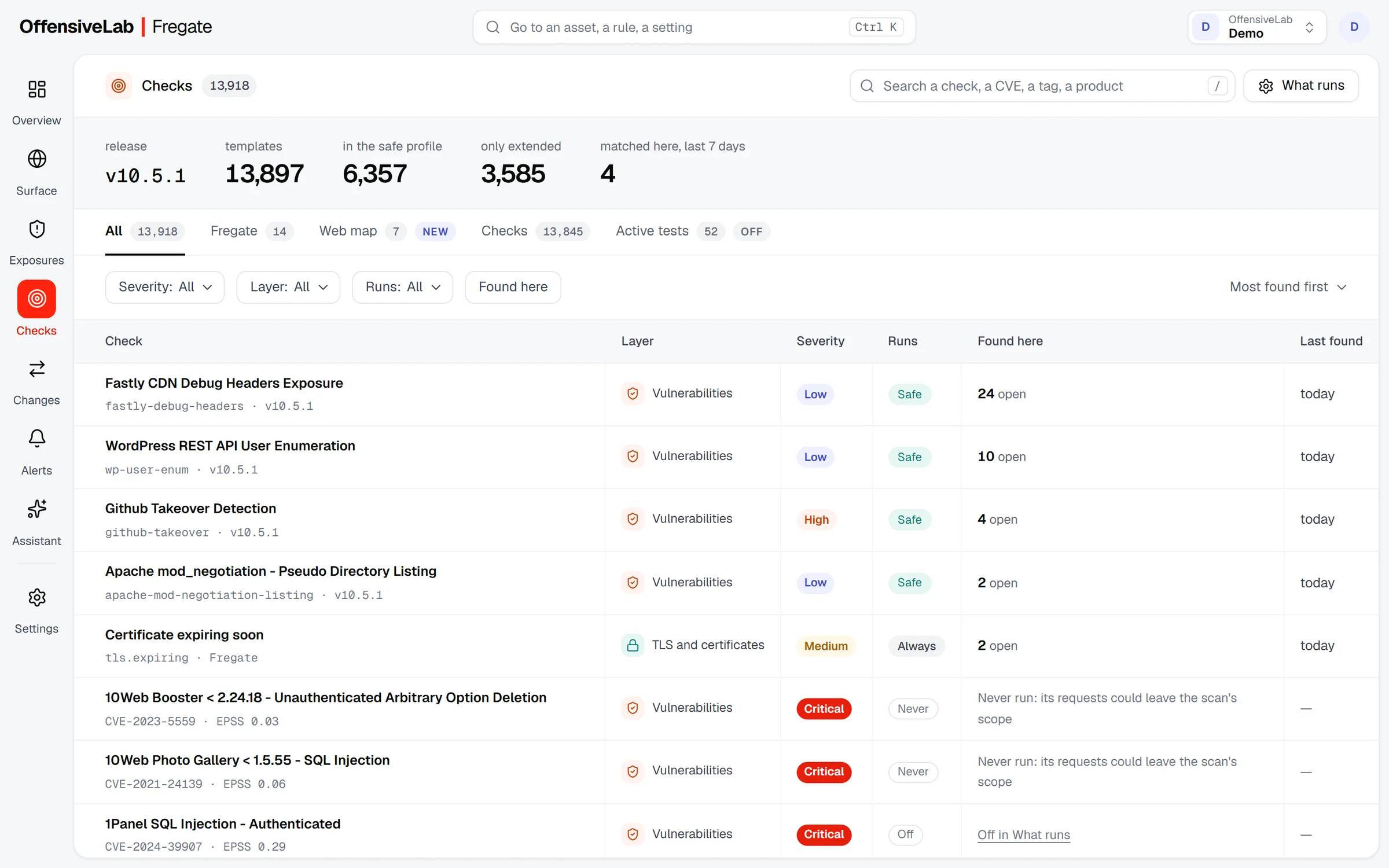
One catalog lists Fregate’s own checks, the web map checks, every vulnerability check and the active tests, with the profile that runs each one and, when a template never runs, why.

  • The safe profile by default
  • Active tests (SQLi, XSS, SSRF…) switched on per workspace
  • Severity changes and mutes per workspace

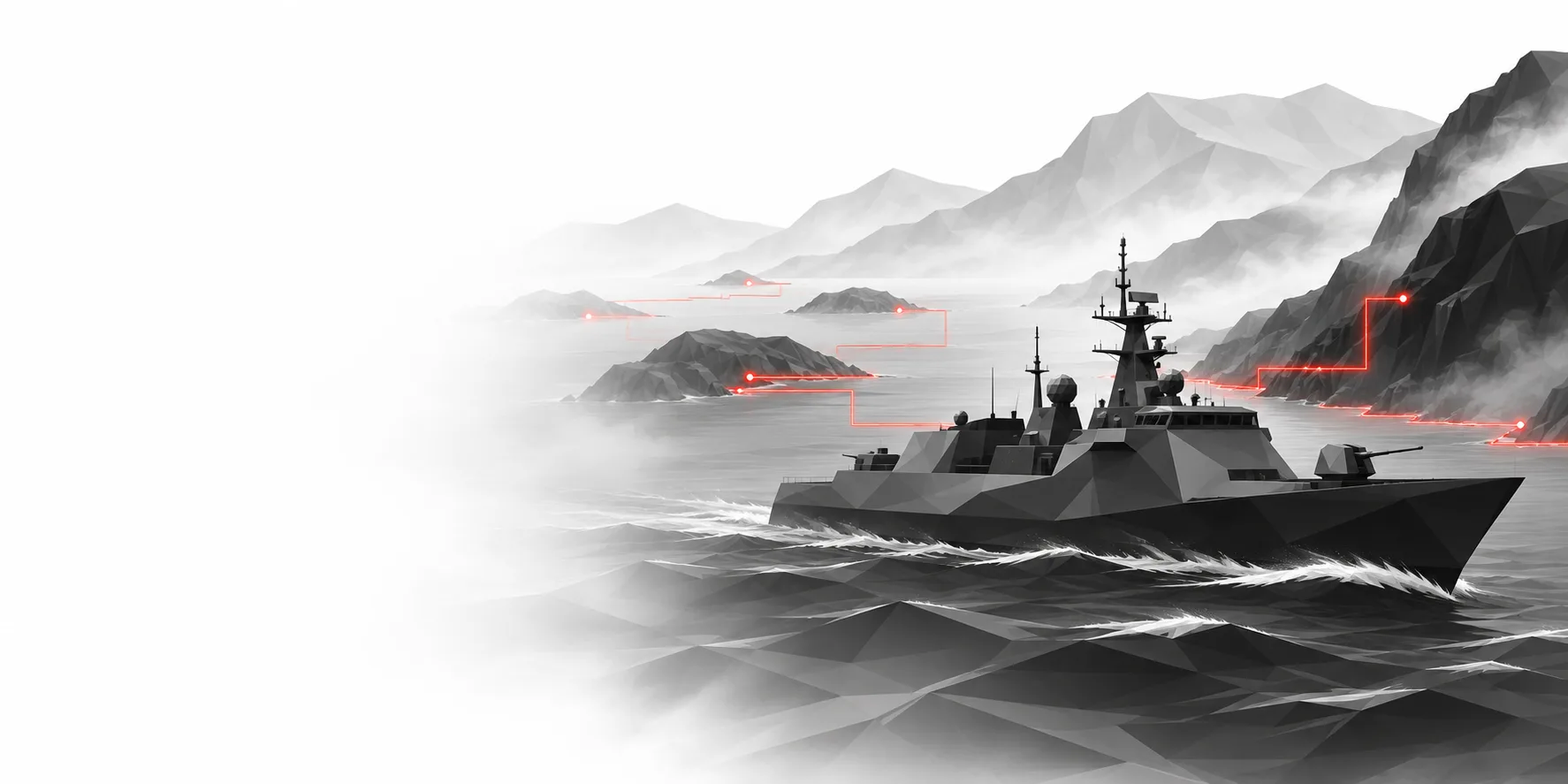
Chart the coast before anyone lands.

Perimeters sprawl: subsidiaries, cloud accounts, forgotten marketing sites. Fregate keeps the map current, scan after scan, so the next exposure reaches your queue before it reaches anyone else.

ALSO IN FREGATE

Built for the team that owns the perimeter.

  • Workspaces

    One workspace per entity, isolated row by row in the database, with its own members.

  • Scope and attestation

    Active tests run only on assets you attested, with the statement version recorded.

  • Alerts

    Rules on exposures and changes, sent by email or webhook, one by one or as a digest.

  • Scans on demand

    A scan profile per asset, and a Scan now button on every asset page.

  • Scan agents

    Gateway agents lease their tasks from Fregate; they never touch its database.

  • Audit

    Settings changes and decisions are kept in the workspace’s audit log.

Put your perimeter under watch.

Fregate is built in the lab. Talk to us to see it on your own perimeter.